Project #1: Bare-Metal Self-Hosting with Raspberry Pi
GitHub Repo
Built With: Raspberry Pi 5 | Bash | Nginx | GitHub Actions (CI/CD) | HTML5/CSS3
Practical Objective: Self-host a professional website to serve as an online resume, portfolio, and blog.
Learning Objective: Build command line fluency and a deeper understanding of computer networking.
Infrastructure
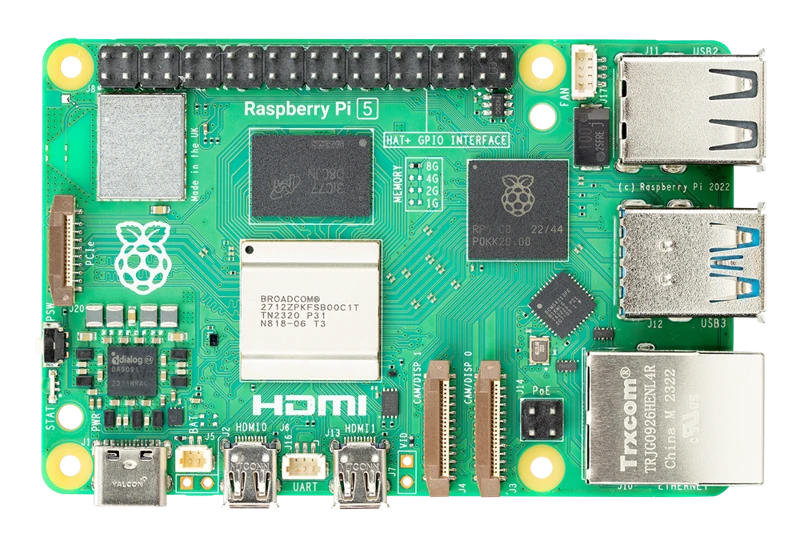
Rather than relying on cloud hosting, I serve this site from a Raspberry Pi 5 in my home network. This "bare-metal" approach requires managing the OS layer directly. I interact with the server headlessly via SSH, enforcing a command-line-first workflow that mirrors the environment of high-performance computing clusters used in my research.
I've learned a lot by looking under the hood of computer networking. Not only is cloud-hosting costly, but it also abstracts away surprisingly simple workflows that can be learned in a day or two.
Security and Networking
Exposing a local machine to the open web requires security hardening. I utilize Nginx as a high-performance reverse proxy and secure the network using UFW (Uncomplicated Firewall) and Fail2Ban to automatically block attacks. I also ban IPs with suspicious behavior, which is easy to audit with GoAccess, a real-time log analysis tool.
Automated Deployment (CI/CD)
To ensure consistency and streamline updates, I set up a Continuous Deployment pipeline via a GitHub Actions runner directly on the Pi.
Now, when I push changes to the repository, the runner automatically:
- Pulls the latest commit
- Builds the static assets
- Deploys them to the Nginx serving directory
This eliminates manual file transfers (SCP) and ensures the live site always reflects the `main` branch state, and it helped me with Python packaging workflows (Project 2). It also circumvents the need for SSH, allowing me to update my website wherever I can access GitHub (including my phone!).